


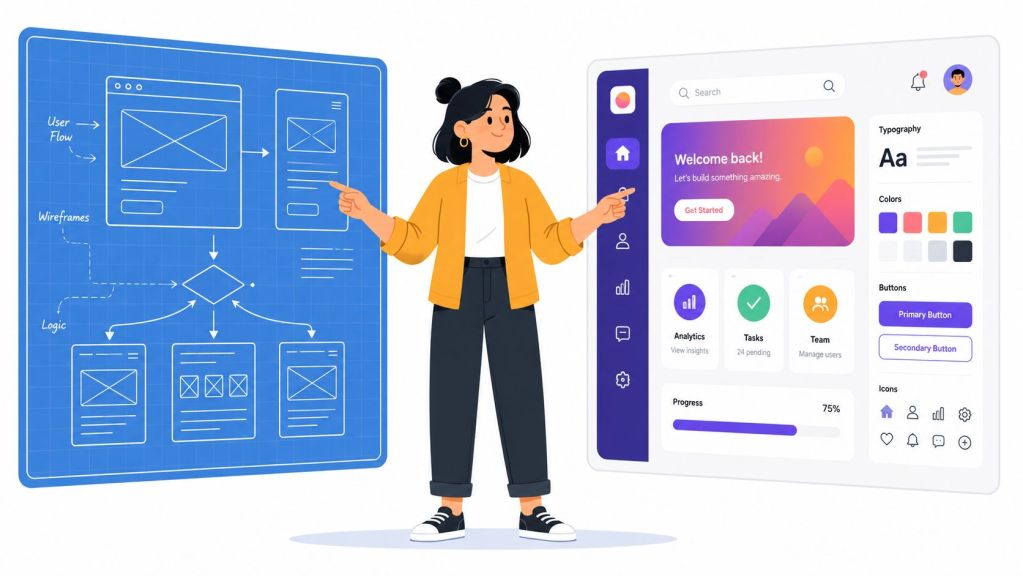
You're probably here because you need design help, but the title itself is already causing trouble.
Do you need a UI designer, a UX designer, a product designer, or one person who somehow does all of it?
Founders hit this wall all the time. They know the product feels clunky, conversion is weaker than expected, or customers keep getting stuck in the same flow. But when it's time to hire, the job description turns into a vague wish list: “make it look better,” “improve user experience,” “own design,” maybe “know HTML/CSS” for good measure.
That's where expensive mistakes start.
A UI/UX hire isn't just there to make screens prettier. The role often touches research, structure, prototyping, testing, collaboration with engineering, and the translation of business goals into product decisions. If you define the role poorly, you won't just attract the wrong candidates. You'll likely set up the right candidate to fail.
Why You Must Understand UI UX Designer Job Responsibilities
A founder once described their first design hire to me like this: “We needed someone to fix onboarding.”
That sounds clear until you ask the next five questions.
Did they need someone to interview users and uncover why people were dropping off? Did they need someone to rethink the sequence of steps? Did they need a visual designer to improve clarity on the screen? Did they need someone to prototype alternatives and test them? Or did they need a senior design lead who could align product, engineering, and growth around one better experience?
Those are very different jobs.
The market for this talent is strong. The U.S. Bureau of Labor Statistics projects employment for web developers and digital interface designers to grow 7% from 2024 to 2034, with about 14,500 openings per year on average, and reports a median annual wage of $98,090 in May 2024 in this category (BLS occupational outlook for web developers and digital interface designers). If you hire vaguely in a market like that, you're paying real money for fuzzy outcomes.
Practical rule: If you can't explain what problem the designer will own, you're not ready to write the job description.
What founders usually get wrong
The common mistake isn't underestimating design. It's flattening it.
Founders often treat all design work as one bucket, when in reality the responsibilities can include:
- Discovery work: Understanding user pain points, friction, and unmet needs.
- Structural work: Organizing screens, flows, navigation, and information hierarchy.
- Interface work: Choosing layouts, visual patterns, typography, buttons, and states.
- Validation work: Testing whether a design improves the experience.
- Delivery work: Handing off designs clearly so engineering can build them correctly.
When those responsibilities are mixed together without priorities, candidates start guessing what the job really is. Some will apply expecting a visual role. Others will assume it's a strategic product design position. Both may be wrong.
Why clarity pays off
Clear UI UX designer job responsibilities do three things for a startup.
First, they sharpen hiring. Second, they help your team evaluate candidates fairly. Third, they tell the designer where to spend time in the first month instead of wandering between requests from product, marketing, and engineering.
That clarity matters even more when you're making your first design hire. Early on, one person can shape how your product feels to every customer who touches it.
The Core Difference Between UI and UX Explained
The cleanest way to understand this is to stop thinking in job titles and start thinking in layers.
UX is the logic of the experience.
UI is the expression of the experience.
A house analogy helps. UX is the blueprint. It decides where the rooms go, how people move through the space, and whether daily life feels smooth or awkward. UI is the interior design. It chooses the finishes, lighting, furniture, and visual details that make the space appealing and easy to use.
A beautiful house with a bad floor plan is still frustrating. A polished app with confusing flows has the same problem.


UI and UX aren't rivals
Founders sometimes assume UI is “the easy pretty part” and UX is “the serious strategic part.” That framing creates bad hiring decisions.
UI work isn't decoration. Strong UI helps users notice what matters, understand what's clickable, read content comfortably, and move through tasks with confidence. UX work isn't abstract theory either. It should show up in simpler journeys, clearer choices, and fewer moments of confusion.
Industry guidance now treats them as distinct but connected disciplines, and many employers still combine both in one role. That broader scope helps explain why salary expectations rise with experience. One career guide cites experienced UX designers at around $119,000 and seasoned professionals above $142,250 in 2026 (Coursera guide on what a UX designer does).
UI vs. UX at a glance
| Aspect | UX Design (The Blueprint) | UI Design (The Interior Design) |
|---|---|---|
| Primary focus | How the product works | How the product looks and feels |
| Main question | “Can users complete the task easily?” | “Can users understand and interact with this clearly?” |
| Typical concerns | User flows, navigation, structure, friction, information architecture | Visual hierarchy, color, spacing, typography, controls, states |
| Common outputs | Journey maps, wireframes, flows, prototypes, test findings | Mockups, component styling, design systems, polished screens |
| Success signal | Users move through the experience with less confusion | The interface feels clear, consistent, and intuitive |
Why startups often combine them
A lean startup rarely hires two specialists on day one. One hybrid designer may need to handle both UX and UI, especially when the team is small.
That's fine if you know what tradeoff you're making.
If your main problem is workflow confusion, hire for stronger UX skills. If the structure is sound but the product feels outdated or hard to scan, stronger UI skills may matter more. If the business is still searching for product-market clarity, you usually want someone with UX depth first.
The wrong hire often isn't a bad designer. It's a designer hired for the wrong layer of the problem.
A Task-by-Task Breakdown of the Design Workflow
Good design work doesn't appear fully formed in Figma. It moves through a sequence. Each step reduces risk before your team spends engineering time.
That matters for founders because it changes how you judge progress. In the early stages, a designer may produce fewer polished screens than you expected. That doesn't mean nothing is happening. It may mean they're doing the harder work of figuring out what should be built at all.

User research
At this stage, the designer tries to understand people before changing the interface.
Common responsibilities include:
- Interviewing users: Talking to customers to learn where they get stuck, what they expect, and what feels confusing.
- Reviewing behavior: Looking at support tickets, session recordings, analytics, and funnel drop-off points to spot patterns.
- Defining pain points: Turning scattered feedback into a clear list of user problems worth solving.
- Clarifying audience segments: Separating the needs of new users, power users, admins, buyers, or other groups.
A simple example: if trial users abandon setup, the issue may not be visual design at all. It might be that they don't understand the value of the first required step.
Information architecture and interaction design
Once the designer understands the problem, they shape the structure.
Responsibilities often include:
- Mapping user flows: Defining the path from entry point to outcome.
- Organizing content: Deciding what information belongs where.
- Creating wireframes: Sketching low-fidelity layouts without getting distracted by visual polish.
- Choosing interaction patterns: Determining how forms, menus, filters, navigation, and feedback states should work.
This is the “don't decorate a broken floor plan” stage.
Visual design
Now the interface starts to take on brand and polish.
Typical tasks include:
- Designing screen layouts: Applying spacing, alignment, hierarchy, and visual balance.
- Selecting UI elements: Buttons, fields, cards, tabs, tables, and other interactive patterns.
- Improving readability: Using typography and contrast to make content easier to scan.
- Maintaining consistency: Reusing patterns so the product feels coherent instead of improvised.
A founder usually notices this stage most because the work looks tangible. But it sits on top of the structural decisions made earlier.
Prototyping
Prototypes help the team test an idea before code is written or before a release goes live.
Designers may:
- Build clickable flows: Showing how screens connect in a realistic sequence.
- Simulate interactions: Demonstrating hover states, transitions, form behavior, and navigation.
- Prepare concepts for review: Giving stakeholders and developers something concrete to react to.
- Compare alternatives: Creating multiple versions of a flow to see which direction is stronger.
Prototyping makes many misunderstandings disappear quickly. A sketch can sound good in a meeting. A prototype shows whether it makes sense.
Testing and experimentation
Modern UI UX designer job responsibilities increasingly include measurable experimentation. Job descriptions commonly ask designers to run A/B or usability tests on elements such as CTAs, layouts, links, landing pages, and banners, then use what they learn to improve the product (Built In UX designer job description guide).
In practice, that can mean:
- Running usability sessions: Asking users to complete tasks and observing where they hesitate.
- Testing hypotheses: Comparing two approaches to a layout or call to action.
- Analyzing friction points: Noting where people misclick, backtrack, or abandon.
- Recommending iterations: Adjusting hierarchy, copy, sequencing, or interaction details based on evidence.
A strong designer doesn't defend screens. They test assumptions.
Developer handoff and iteration
Design work isn't done when the mockup is approved.
The final responsibilities usually include:
- Preparing specs: Sharing spacing, behaviors, responsive considerations, and states.
- Collaborating with engineers: Clarifying intent, answering implementation questions, and adjusting for technical constraints.
- Reviewing built work: Checking whether the shipped product matches the intended experience.
- Improving post-launch: Using feedback and product signals to refine the design over time.
For founders, this is one of the easiest places to underestimate the role. Design quality often drops not in ideation, but in the handoff between design and engineering.
Essential Deliverables and Tools of the Trade
If responsibilities describe what the designer does, deliverables show what they've produced.
That distinction matters. “Improving onboarding” is a goal. A journey map, wireframe set, prototype, test summary, and handoff file are working assets. They let the team discuss specifics instead of opinions.
What you should expect to see
A capable designer usually produces a mix of thinking tools and execution tools.
- User personas or audience snapshots: Lightweight profiles that summarize who the team is designing for.
- Journey maps: Visual views of the customer path, often useful when the pain spans multiple touchpoints.
- Information architecture diagrams: A map of pages, sections, and navigation relationships.
- Wireframes: Low-detail layouts that focus on structure and flow.
- High-fidelity mockups: Polished screens that show visual hierarchy and brand expression.
- Interactive prototypes: Clickable models for reviews, demos, and testing.
- Design systems or style guides: Reusable components and rules that keep the product consistent.
- Handoff files: Organized specs, component states, and notes for engineering.
What the tools are really for
Founders often ask which tool matters most. Usually, the tool matters less than the designer's reasoning, but the common stack still helps to know.
Figma is the most common hub for interface design, prototyping, and collaboration. Sketch and Adobe XD may still appear in some teams. FigJam or Miro often support workshops, flows, and journey mapping. Usability testing may happen through prototypes, interview notes, or dedicated testing workflows.
If you want a simple way to evaluate progress, compare what you're seeing against a six-step design process used by product teams. The key question isn't “Did they make screens?” It's “Did they produce the right artifact for the current decision?”
When a designer skips deliverables, teams start debating taste. When deliverables are clear, teams debate tradeoffs.
A practical founder filter
Ask to see three things in portfolio reviews:
| Deliverable | What it tells you |
|---|---|
| Wireframes | Whether the designer can think structurally before polishing visuals |
| Prototype | Whether they can model a realistic user flow |
| Testing summary | Whether they learn from user behavior instead of relying on preference |
A designer who can only show final screens may still be talented. But for an early-stage startup, you usually want someone who can show their logic, not just their aesthetics.
How Responsibilities Evolve With Seniority
The same title can describe very different levels of ownership.
A junior designer may need clear direction and a defined system. A mid-level designer can own a feature. A senior designer often acts more like a translator between user needs, business goals, and technical reality.
That's where many founders mismatch the hire. They bring in a junior designer to “own product experience,” then get frustrated when the person needs a roadmap, research plan, and product strategy handed to them.


Junior designer
A junior hire usually works best when the problem is already framed.
They often handle:
- Execution within a system: Designing screens, components, and simpler flows.
- Support on research and testing: Assisting with interviews, notes, or usability sessions.
- Iteration on feedback: Revising designs based on direction from more senior teammates.
- Production tasks: Preparing mockups, assets, and design documentation.
This person can add speed. They usually can't define the design strategy alone.
Mid-level designer
A mid-level designer often becomes the workhorse for a startup product team.
They can typically:
- Own a feature area: From discovery through handoff.
- Collaborate cross-functionally: Working directly with product managers and engineers.
- Make tradeoff decisions: Balancing user needs, scope, and time constraints.
- Contribute to systems: Improving patterns, not just following them.
If your startup already has a clear product lead and a reasonable sense of priorities, this can be a strong fit.
Senior or lead designer
Senior roles are less about more screens and more about better decisions.
Recent job descriptions show that senior UX roles increasingly include work with PMOs and clients on business requirements, feasibility discussions with developers, and presenting and revising work in fast-paced cycles (Indeed employer guide for UX designer job descriptions). In plain language, the job starts to look partly like product leadership.
That level often includes:
- Framing ambiguous problems: Turning “users are confused” into a design plan.
- Aligning stakeholders: Getting product, engineering, founders, and sometimes marketing to agree on direction.
- Connecting design to business goals: Prioritizing work based on retention, activation, adoption, or support burden.
- Mentoring others: Raising the quality of the whole design process.
Senior designers spend more time reducing organizational confusion than moving pixels.
A simple hiring shortcut
If you need someone to “make the app look better,” junior or mid-level may be enough.
If you need someone to decide what should change, why it matters, how to validate it, and how to get the team aligned around it, you need senior-level capability whether that person is full-time or fractional.
Hiring a UI UX Designer The Smart Way for Startups
Startups often try to solve uncertainty with one heroic job description.
They ask for user research, interaction design, polished UI, prototyping, front-end coding, branding, marketing assets, and maybe a little product management. It sounds efficient on paper. In practice, it usually creates confusion before the first interview.

Don't hire a unicorn when you need clarity
A common hiring mistake is bundling UX design, UI visual production, and front-end coding into one role, even though industry guidance treats UX and UI as separate layers and warns that this bundling creates confusion for candidates and hiring teams, especially as UX expands into areas like voice and AR/VR (CareerFoundry on what UX designers actually do).
Here's the issue. Those skills can coexist in one person, but they don't always coexist at the level your startup needs.
A designer who can produce beautiful interfaces may not be strong at user research. A strong UX thinker may not want to spend time coding front-end details. A product-minded design lead may be the right strategic hire, but overkill as a full-time expense at your stage.
A smarter decision framework
Before writing the role, answer these questions:
- What's broken right now: Acquisition flow, onboarding, retention, admin usability, mobile experience?
- Where is the ambiguity: User problem, screen design, cross-functional alignment, handoff quality?
- What level of ownership do you need: Task execution or strategic direction?
- What can your current team already cover: Product strategy, user research, UI polish, front-end implementation?
If the answers point to strategy and prioritization, fractional leadership often makes more sense than rushing into a full-time hire.
Why fractional can de-risk the first design hire
A fractional design leader can help define the role before you fill it permanently. They can audit the product, identify the highest-impact design problems, establish a process, and determine whether you need a hybrid generalist or multiple specialists over time.
That's especially useful when your startup needs judgment more than design volume.
For founders exploring that model, a fractional UX design consultant approach can provide senior design leadership without forcing an immediate full-time commitment. Platforms such as Shiny also connect companies with experienced executives on a part-time basis, which can fit early-stage teams that need senior guidance for a limited number of hours each week.
A practical sequence often looks like this:
- Start with diagnosis: Clarify the actual product problem.
- Bring in senior guidance: Fractional if full-time isn't justified yet.
- Build process and priorities: Research, design workflow, collaboration model.
- Hire execution talent next: Once scope is clear, add the right full-time designer.
That order saves a lot of startups from hiring for symptoms instead of causes.
Build Better Products by Hiring Better
When founders ask about UI UX designer job responsibilities, they're usually asking a deeper question: who will help us make this product easier to use, easier to build, and easier to grow?
The answer isn't a generic list of tasks. It's a match between your business stage and the kind of design ownership you need.
If your product needs clearer flows, better interfaces, stronger testing, and tighter collaboration between product and engineering, design isn't a support function. It's part of how the business executes. That's why understanding the role matters before you hire.
For teams still sorting out product direction, it can help to pair design thinking with broader digital product management practices. The better your team defines outcomes, the easier it is for a designer to drive the right work.
A smart hire won't just improve screens. They'll help your team make better product decisions.
If you need senior design or product leadership but aren't ready for a full-time executive, Shiny offers a marketplace for hiring vetted fractional leaders. It's a practical way to define the role, reduce hiring risk, and bring in the right expertise at the stage you're in.