
How to Implement a CRM System: A Practical Guide
A successful CRM rollout starts long before you see a software demo. The real work begins with a solid strategic foundation: defining your business goals, mapping your customer processes, and assembling a dedicated project team. Get this blueprint right, and your investment will solve your company's most pressing problems.
But leading this complex project can feel like a second full-time job. Many growing companies lack the dedicated executive bandwidth to steer such a critical initiative, which is where experienced, on-demand leadership can be a game-changer.
Building Your Foundation for CRM Success
Jumping into software demos without a clear plan is like building a house without a blueprint. You might end up with a powerful tool that doesn't fit your needs, leading to wasted resources and frustrated teams. A thoughtful initial phase is the single most important factor in a successful CRM implementation.
This foundational work isn't just about technology; it's about seeing your business from the customer's perspective. It forces you to ask tough questions about how you attract, sell to, and support clients. The answers will guide every decision you make, from vendor selection to user training.
Clearly Define Your Objectives
Before you do anything else, you must define what success looks like. Vague goals like "improve customer relationships" aren't actionable. You need to focus on specific, measurable outcomes that a CRM can directly influence.
Are you really trying to:
- Shorten the sales cycle? A CRM can automate follow-ups and give reps instant access to a lead's entire history, collapsing the time from contact to close.
- Increase customer retention? The system can track customer health scores and trigger proactive outreach to at-risk accounts before they churn.
- Unify marketing and sales? A central database allows for smarter audience segmentation and personalized messaging across all channels.
- Improve service response times? By centralizing support tickets and customer information, your team can resolve issues faster and more effectively.
This flow chart breaks down these critical first steps for building a strong CRM foundation.
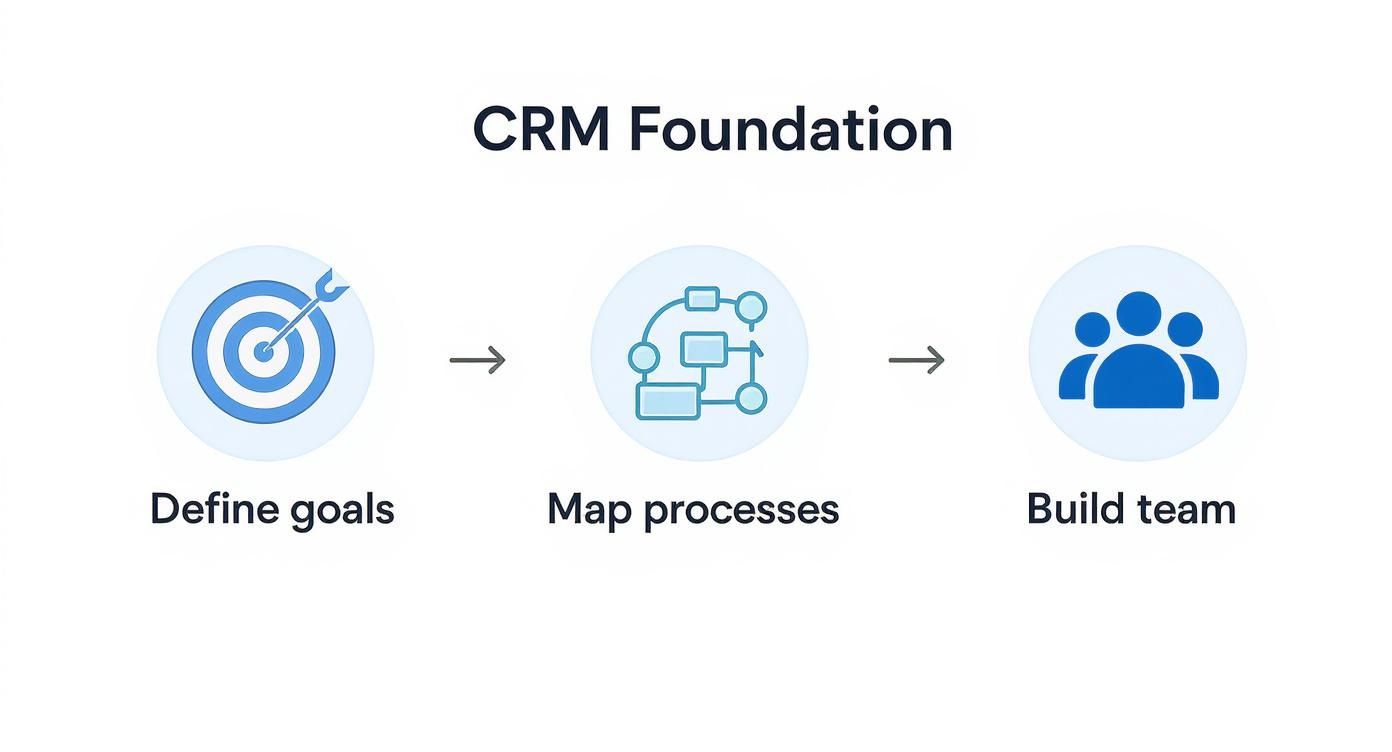
As you can see, defining clear goals, mapping your current processes, and building a cross-functional team are sequential steps. Each one builds on the last, creating a stable base for the entire project.
Map Your Current Customer Processes
Once your goals are set, document how your teams currently operate. This "as-is" process mapping is incredibly revealing—it exposes hidden inefficiencies and bottlenecks a CRM is designed to solve. For instance, you might discover sales reps manually entering the same data into three different spreadsheets. That's a huge time-waster begging for automation.
Don't just focus on sales. Map the entire customer journey, from the first marketing touchpoint through post-sale support. This holistic view ensures the CRM serves the whole organization, breaking down silos that create a disjointed customer experience.
A CRM is only as good as the processes it supports. If you automate a flawed process, you’ll just get flawed results faster. The real magic happens when you use the implementation as a chance to refine and improve how you do business.
Assemble Your Implementation Team
A CRM project is not an IT-only initiative. Success requires buy-in and active participation from every department that will touch the system. Your implementation team should be a cross-functional group of stakeholders who can champion the needs of their respective departments.
This core team typically includes:
- Project Lead or Fractional CIO: You need an experienced leader to oversee the entire project, manage the timeline, and ensure everything stays aligned with business goals.
- Sales Representative(s): Bring in someone from the front lines to provide on-the-ground insight into the daily sales workflow.
- Marketing Manager: They will ensure the CRM supports lead generation efforts and integrates with marketing automation tools.
- Customer Service Lead: This person will define requirements for managing support tickets and tracking customer satisfaction.
This team's collective input is crucial. A staggering 91% of companies with 10 or more employees now use a CRM. The global CRM market is projected to swell to $262.74 billion by 2032, showing how vital these platforms have become. You can read the full research on the rise of CRM technology adoption to get a better sense of market trends.
With your goals defined, processes mapped, and team assembled, you have the strategic foundation needed to move forward confidently. For organizations that need expert guidance through this critical phase, bringing in a fractional executive provides the strategic oversight to ensure success from day one.
Choosing the Right CRM Partner for Your Business
Once your strategy is locked in, the next hurdle is wading through the crowded CRM market. It can feel overwhelming, with every vendor promising a silver bullet. The trick is to look past the flashy demos and find a long-term partner whose platform fits your actual business needs.
Think of choosing a CRM less like a software purchase and more like a strategic partnership. The right system will grow with you, adapt to your processes, and provide solid support when needed. Pick the wrong one, and you’re looking at a wasted budget, a frustrated team, and a tool that creates more problems than it solves.
Define Your Core Requirements
Before watching a demo, translate your business goals into a concrete list of must-have features. This isn't a massive wishlist; it's about nailing down the non-negotiables.
Here are the essentials to consider:
- User Experience (UX): Is the interface intuitive? A clunky system is the #1 killer of user adoption. If your team has to click through five screens to log a call, they’ll stop using it.
- Integration Capabilities: Your CRM must connect with the tools you already use, like your email marketing platform, accounting software, and helpdesk. Poor integrations create data silos, defeating the purpose of a central hub.
- Scalability: The CRM you pick today must work for the company you want to be tomorrow. Ask vendors how their platform handles more users, more data, and what their pricing looks like as you scale.
- Support and Training: When you hit a snag, you need responsive, knowledgeable support. Investigate their support options (phone, email, chat) and the quality of their training materials.
Evaluate Vendors with a Critical Eye
With your requirements in hand, you can start digging into vendors like Salesforce, HubSpot, or Zoho. Review sites like G2 or Capterra are fantastic for building a shortlist and getting a feel for user satisfaction.
You'll see comparison grids that give you a high-level overview based on reviews and market presence.
This kind of visual helps you quickly spot industry leaders and is a great jumping-off point for more detailed research.
To get real answers, put together a formal Request for Proposal (RFP). This document should lay out your business goals, specific requirements, and key use cases. It forces vendors to address your needs directly, rather than running through their standard sales pitch.
When you sit down for demos, don't let the vendor run the show. Come armed with your own real-world scenarios. Ask them to walk you through exactly how their system handles your most common—or most complicated—workflows.
This hands-on approach is far more revealing than a slick presentation. For a complex tech decision, expert guidance can be a lifesaver. Many startups lack a senior tech leader, which is why understanding what a CIO is and what they do can highlight the need for strategic oversight during a major implementation.
Understand the True Cost of Ownership
The price on the proposal is just the tip of the iceberg. The Total Cost of Ownership (TCO) includes every expense tied to the system over its lifespan. Your job is to uncover these often-hidden costs during your evaluation.
Make sure you ask vendors about fees for things like:
- Implementation and setup
- Data migration services
- Required user training
- Different tiers of customer support
- Customizations and third-party app integrations
- Extra data storage
The contract negotiation is your last chance to ensure this partnership is set up for success. A good vendor will be transparent about all potential costs. This diligence ensures you end up with a partner invested in your goals, not just in selling a product. For growing businesses, a fractional executive from our network provides the seasoned experience needed to navigate these high-stakes negotiations and lock in the perfect tech partner.
Preparing and Migrating Your Customer Data
A shiny new CRM without clean, organized data is like a race car with no gas. It looks great, but it’s not going anywhere. The data migration phase is often underestimated, but it is the absolute foundation of user trust and system effectiveness.
If your team logs in on day one to find duplicate contacts or incorrect deal histories, their confidence will evaporate. Getting this right is the difference between a CRM that becomes the heartbeat of your company and one that collects dust.
Conduct a Thorough Data Audit
Right now, your customer data is likely scattered across spreadsheets, email inboxes, and legacy systems. Your first step is to act like a data detective and map out every single place customer information is stored. This audit reveals the size of the migration and uncovers the data quality problems you'll need to fix.
The Cleanup Your Data Deserves
Once you know where your data lives, the real work begins: the cleanup. This is your chance to start fresh and ensure the information in your new CRM is accurate, consistent, and useful. This process is a massive part of optimizing your operations, a topic we cover in our guide to improving business processes.
Your data cleanup checklist needs to cover:
- De-duplicating records: Merge multiple entries for the same person or company into a single, clean profile.
- Standardizing formats: Ensure consistency. For example, decide if all state fields will use the two-letter abbreviation (e.g., "CA" instead of "California") and stick to it.
- Completing missing information: Fill in the blanks where you can, such as missing job titles or phone numbers.
- Archiving outdated info: Not every piece of data needs to make the trip. Archive inactive contacts or long-closed deals to keep your new system lean and focused.
The goal isn’t to migrate all your data; it's to migrate all your good data. A clean, relevant dataset is infinitely more powerful than a massive, messy one.
Map Your Data for a Flawless Transfer
With your data clean, it's time to create a map. This is where you decide exactly where each piece of old information will live in the new CRM. For example, a "Company Name" field from a spreadsheet might go into the "Account Name" field.
This mapping step is critical for preventing data loss. Create a simple spreadsheet listing every data field from your source and its matching field in the new CRM. This document becomes the blueprint for the technical migration.
A basic data map could look like this:
| Old Source Field (Spreadsheet) | New CRM Field | Data Type | Notes |
|---|---|---|---|
| First Name | Contact First Name | Text | Required field |
| Last Name | Contact Last Name | Text | Required field |
| Company | Account Name | Text | Link to Account record |
| Deal Size | Opportunity Amount | Currency | Use USD format |
| Close Date | Opportunity Close Date | Date | Use MM/DD/YYYY format |
Execute and Validate the Migration
Finally, it's time to move the data. For most small and medium-sized businesses, a single transfer after thorough testing is the most efficient approach.
But you're not done when the progress bar hits 100%. The final, crucial step is validation. Your project team must meticulously check the migrated data to confirm everything is accurate. Check a random sample of records, run test reports, and have your end-users from sales and service do a spot-check. This final quality check builds the user confidence you need for a successful launch.
For businesses navigating this complex process, the strategic guidance of an experienced executive can be invaluable. A fractional leader can oversee the entire data strategy, ensuring this foundational step is executed flawlessly.
Configuring Your CRM to Match Your Workflow
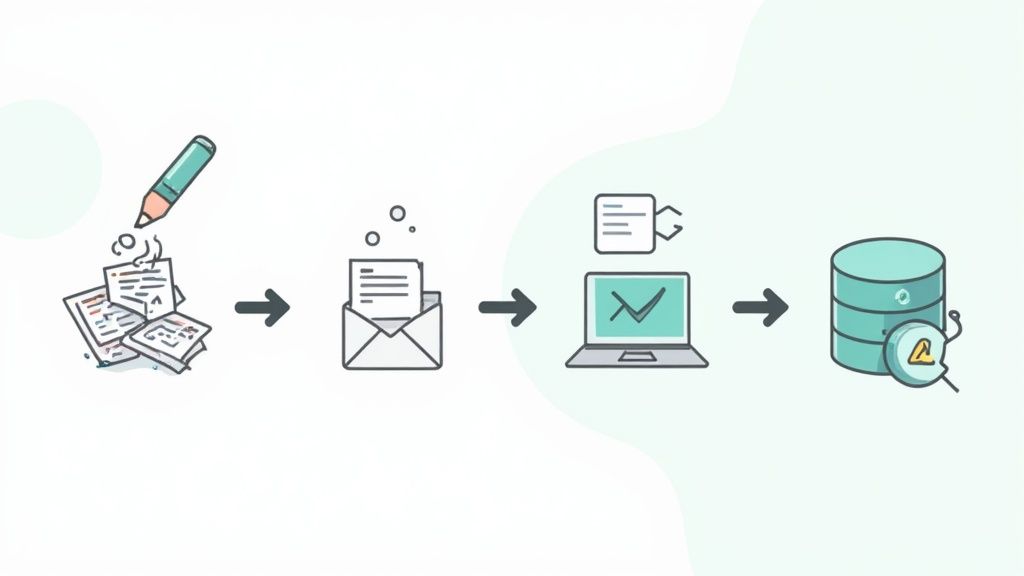
After all the planning and data prep, this is where your new CRM comes to life. An out-of-the-box system is a generic tool; real value comes when you shape it to mirror your unique business processes. This phase transforms the software from a simple database into the central nervous system of your customer-facing operations.
The goal is to make the CRM feel like an extension of how your team already works, just better. It should be intuitive, not a clunky new process forced upon them. Getting this right eliminates manual work and empowers your team to focus on building relationships.
Building Your Sales Pipeline
Your sales process isn't the same as anyone else's. Your CRM’s pipeline needs to reflect the actual stages a deal moves through at your company. Ditch the default stages if they don't fit your reality.
A typical B2B SaaS company might map its pipeline like this:
- Lead In: A new, unvetted contact enters the system.
- Qualified: An SDR has confirmed budget, authority, need, and timeline (BANT).
- Demo Scheduled: The product tour is on the calendar.
- Proposal Sent: A formal quote has been delivered.
- Negotiation: Back-and-forth on terms and pricing.
- Closed Won / Closed Lost: The final outcome.
Mapping these stages accurately gives you a clear snapshot of your sales funnel, letting leaders forecast revenue and spot where deals are getting stuck.
Creating Custom Fields for Essential Data
Every business tracks unique data points. Standard fields—name, email, phone—are just the starting line. Custom fields capture the information that's truly vital to your operations.
For a manufacturing company, this might be a field for "Annual Tonnage." For a software company, it could be "Subscription Renewal Date." Creating these fields ensures this critical data is captured consistently for reporting and automation.
Your CRM should adapt to your business, not the other way around. Customization is about bending the technology to fit your processes, ensuring the tool serves the team and not the other way around.
Automating Repetitive Tasks with Workflows
This is where you get a massive return on your investment. Workflow automation takes manual, repetitive tasks and puts them on autopilot, ensuring crucial steps are never missed.
Take lead assignment. A sales manager could burn an hour a day just doling out inbound leads. With a simple workflow, you can do this instantly.
Example Lead Assignment Automation:
- Trigger: A new lead is created from the "Website Contact Form."
- Condition: The system checks the lead's "State/Region" field.
- Action:
- If the region is "West," assign to Sales Rep A.
- If the region is "East," assign to Sales Rep B.
- Notification: An email is automatically sent to the assigned rep.
This one automation saves time, guarantees fast follow-up, and eliminates human error.
Integrating Your Core Business Tools
A CRM becomes exponentially more powerful when it talks to the other software you rely on. Integrations break down data silos and create a single source of truth for every customer interaction.
Key integrations to consider:
- Email Marketing: Syncing with platforms like Mailchimp or Constant Contact allows for incredible segmentation based on actual sales data.
- Accounting Software: Connecting to QuickBooks or Xero can automate invoicing when a deal is marked "Closed Won."
- Customer Support: Integrating with helpdesk tools like Zendesk or Help Scout gives your support team a customer's full sales history and sales a view into open support tickets.
These connections ensure every department works from the same playbook. For companies needing help with technical configuration, a fractional executive can provide the strategic oversight to ensure all systems work in harmony.
Driving User Adoption and Managing Change
A technically flawless CRM means nothing if your team doesn’t use it. You can build the most elegant workflows, but if people revert to old spreadsheets, the project is a failure. This is the human side of implementing a CRM—and it's often the hardest part.
Successfully driving adoption isn’t about forcing a new tool on your team. It's about leading them through a significant change, building excitement, and showing them how this makes their lives easier.
Why People Push Back on New Tools
It’s human nature to resist change. Your team has habits and workarounds, and a new CRM threatens that comfort zone. The first step is acknowledging that this resistance will happen.
User adoption is the ultimate make-or-break factor. While over 91% of companies with 10+ employees use a CRM, 83% of senior executives admit they've faced serious staff resistance. You can dig into more data on CRM adoption challenges and successes to see the common roadblocks.
To get past this, you have to sell the "why" behind the change. This isn't just about a new system; it's about making their jobs easier and helping them succeed.
Design a Training Program That Actually Sticks
A single, two-hour demo a week before launch is not a training program. Effective training is an ongoing process designed to build confidence and competence.
Your training needs to be multifaceted and tailored to different roles.
- Role-Specific Workshops: Break training into smaller, role-focused sessions that hit on the specific workflows and benefits for each group.
- A Safe Place to Practice: Give everyone access to a "sandbox" environment with dummy data. This lets them learn without the fear of breaking something in the live system.
- Support Beyond Launch Day: Plan for weekly "office hours," create a dedicated Slack channel for questions, and build a library of easy-to-find resources.
Effective training answers one fundamental question for every single user: "What's in it for me?" When your team clearly sees how the CRM helps them hit their targets and cuts down on tedious work, they'll be much more eager to jump on board.
Before you roll out training, map out a clear schedule to ensure every user group gets the specific guidance they need.
Here’s a sample outline to get you started:
User Training Plan Outline
| User Group | Training Focus | Recommended Format |
|---|---|---|
| Sales Team | Pipeline management, lead/opportunity tracking, activity logging, and reporting. | Hands-on workshop in the sandbox environment, followed by role-playing scenarios. |
| Marketing Team | Campaign management, lead segmentation, marketing automation basics, and performance analytics. | A mix of guided demos and self-paced video tutorials on specific features. |
| Customer Support | Case management, knowledge base access, customer communication history, and service-level agreement (SLA) tracking. | Interactive sessions focused on real-world support tickets and scenarios. |
| Leadership/Management | Dashboard creation, team performance reporting, and high-level forecasting. | A concise, one-hour session focusing on key reports and data visualization. |
A structured plan helps you stay organized and makes sure no one falls through the cracks. The goal is to build momentum and confidence across the entire company.
Find and Empower Your Internal Champions
You can't be everywhere at once. CRM champions are enthusiastic, tech-savvy team members who get early access and become its biggest internal advocates.
Champions are your secret weapon for driving adoption. They act as the first line of peer-to-peer support, answering quick questions and helping colleagues. Because the encouragement comes from a peer, it often carries more weight than a top-down mandate. For a deeper look at managing these transitions, check out our guide on proven change management best practices.
Create Clear Documentation and a Way to Get Feedback
Even intuitive software needs good documentation. Create your own internal resource hub with short videos and simple one-pagers that show your specific setup.
This documentation should be a living thing, updated regularly based on feedback. Establish a clear loop for users to report issues and suggest improvements. This makes your team feel heard and invested in making the CRM a success.
Ultimately, driving adoption is about turning the CRM from a "management tool" into a "team asset." By focusing on the people as much as the platform, you ensure your investment delivers real, lasting value.
Measuring Success and Optimizing Performance
Going live with your CRM isn't the finish line—it's the starting line. The real value reveals itself over time through careful measurement and continuous improvement. This final phase is where you prove the return on your investment and turn a well-configured tool into a strategic asset.

From KPIs to Dashboards
Remember those key performance indicators (KPIs) you defined in the planning stage? It’s time to bring them front and center. Your CRM’s reporting and dashboard features are where those abstract goals become tangible, daily metrics.
Every user, from frontline reps to the CEO, should have a dashboard tailored to their role. This isn't just about accountability; it's about empowerment. A sales rep’s dashboard might show their active pipeline, while a manager’s focuses on team performance.
Key metrics to track include:
- User Adoption Rate: Are people logging in and using the system? This is the canary in the coal mine for a failing implementation.
- Sales Cycle Length: How long does it take to close a deal? You should see this number start to shrink.
- Lead Conversion Rate: What percentage of leads become qualified opportunities? This measures the effectiveness of your sales process.
- Customer Satisfaction Score (CSAT): Are customers happier? Tie service interactions directly to customer feedback.
Creating a Governance Framework
As your team gets comfortable, they’ll have great ideas for improvements. This is fantastic, but it can lead to chaos without a clear process for managing changes. A simple governance framework is the solution.
This is just a straightforward process for submitting, reviewing, and implementing change requests. It ensures adjustments align with business goals and prevents the CRM from becoming a cluttered mess.
Your CRM should remain a single source of truth, not a free-for-all of conflicting data. A governance plan protects the integrity of your system and ensures it remains clean and effective for the long haul.
The positive impact of a well-implemented CRM is undeniable. 92% of businesses now agree that CRM systems are vital for reaching revenue goals. And companies that embrace these tools see real results: those using mobile CRM are 150% more likely to beat sales targets. You can learn more about the latest CRM performance statistics to see how technology is shaping success.
Establish regular review cycles—monthly or quarterly—to go over user feedback and performance metrics. This allows you to refine processes and explore new opportunities. It's an ongoing conversation, not a one-time setup.
Common CRM Implementation Questions, Answered
When you're diving into a CRM implementation, questions are inevitable. Getting straight answers on timelines, data, and potential roadblocks from the get-go can save you a world of headaches. Let's tackle some of the most common questions.
How Long Does a Typical Implementation Take?
This is the classic "it depends" question, but here are some real-world benchmarks. The timeline hinges on your company's size, process complexity, and the state of your data.
A small business with clean data and a straightforward sales cycle can often get running in 4-8 weeks. A larger company with messy data, custom integrations, and complex workflows is realistically looking at a 6+ month project. Detailed upfront planning is the key to setting a timeline you can actually hit.
What Is the Biggest Mistake to Avoid?
Easy. The biggest mistake is thinking this is just an IT project. Companies get so wrapped up in the software that they forget about the people who have to use it every day.
A CRM project is a business project first, a technology project second. Success lives or dies by your business strategy, a solid change management plan to get your team on board, and a willingness to actually improve your processes. Without genuine buy-in, even the best software is just expensive shelfware.
Should We Migrate All of Our Historical Data?
Probably not. Trying to migrate every last bit of data is a classic rookie mistake. See your CRM implementation as a chance for data spring cleaning. Your goal should be to migrate only clean, relevant, and active customer data.
Why leave the old stuff behind?
- Speed: A leaner database keeps your new CRM running fast.
- Usability: Less clutter makes the system easier to navigate.
- Cost: Dumping years of irrelevant data can slash storage costs.
Archive old data somewhere else. Your team will thank you.
All-in-One vs. Best-of-Breed Systems?
This is a strategic choice with no single right answer. An all-in-one CRM like HubSpot bundles sales, marketing, and service tools into one platform, which is great for simplicity.
A best-of-breed approach means picking the best tool for each job (like using Salesforce as your core CRM and integrating specialized marketing tools). This gives you powerful features but adds complexity. The right path depends on your specific needs, budget, and in-house technical skills.
Navigating a CRM implementation is a massive undertaking that requires sharp, strategic oversight. If your team lacks the bandwidth or experience to lead this critical project, bringing in an expert can make all the difference. Shiny connects you with experienced fractional executives who can lead the charge, making sure your project hits its goals and delivers a real return on investment. Explore our network of vetted leaders and let’s discuss how we can help.